

Martin Fowler's canonical essay on feature flags categorized them into four buckets—release, experiment, ops, and permission toggles—aimed at SaaS teams shipping code at high velocity. White-label WordPress agencies found their way to the same taxonomy through a completely different pressure point: social media integrations. Every client wants a different mix of sharing widgets, Open Graph meta, auto-posting configurations, and embedded social feeds. And every client treats their combination as non-negotiable.
The typical agency response is to fork. A theme template here, a custom functions.php snippet there, maybe a mu-plugin scoped to one site. Over months, that accumulates into dozens of branching conditional blocks scattered across client codebases. The result is a fragile mess that no new developer can confidently touch.
This is the story of how that mess becomes an architecture—traced through the phases most agencies pass through on the way from ad-hoc social media customization to a disciplined feature toggle architecture.
One Client Wanted an Instagram Feed, Another Wanted It Gone
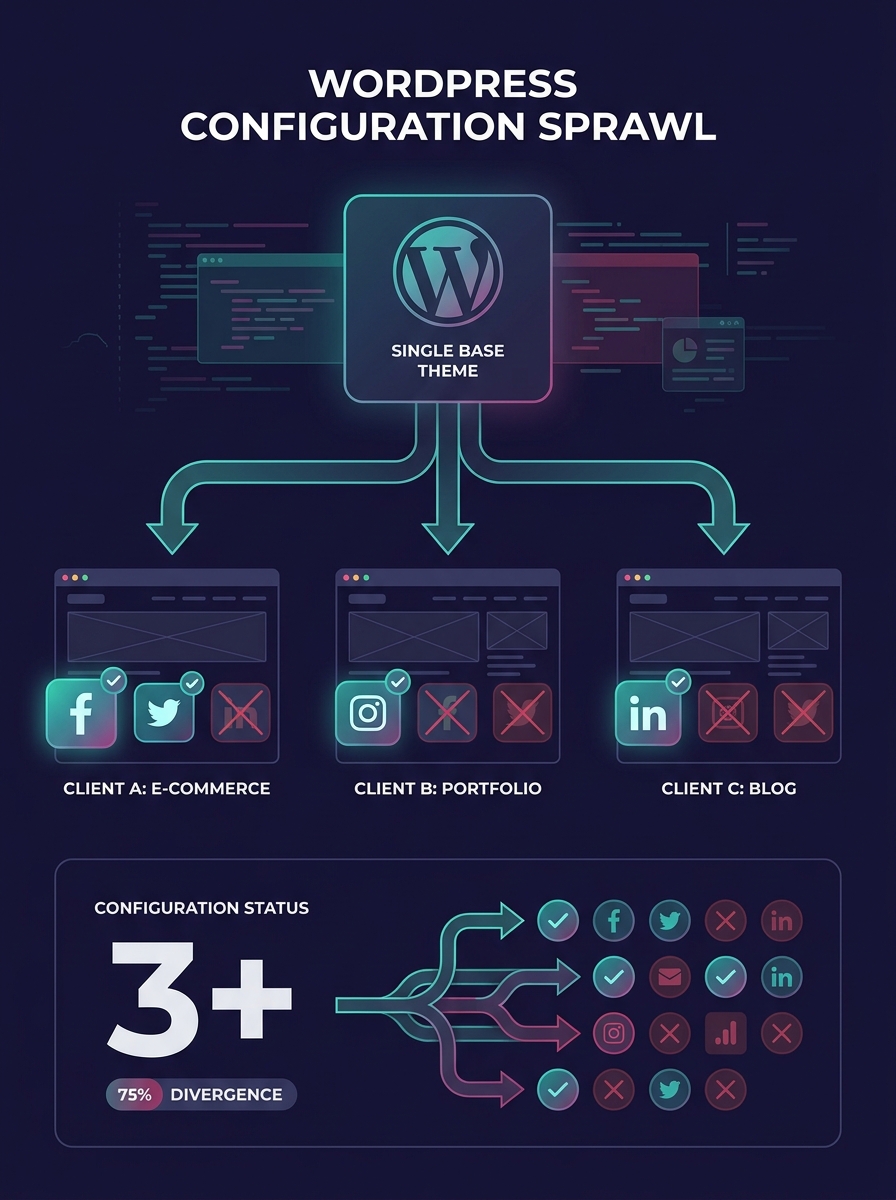
The pattern starts small. A client asks for an Instagram feed in their footer. Your team installs a plugin, configures it, ships it. Two weeks later, a different client on the same white-label base theme asks you to remove all social elements from their site entirely. A third client wants Facebook Open Graph tags but absolutely no visible share buttons.
Each request takes 20 minutes. Each feels trivial. Nobody logs them as architectural decisions because they aren't—yet.
But by the time you're managing 15 or 20 client sites built on variations of the same theme, those 20-minute requests have produced a tangle of client-specific configurations that live in different files, follow no naming convention, and have zero documentation. If you've ever wrestled with scaling a white-label WordPress architecture, this is usually where the cracks first appear.
Fifteen Clients, Fifteen Forks
The second phase is where technical debt prevention either happens or doesn't. Agencies at this stage typically have a shared parent theme or starter plugin, but individual client social features are controlled by a patchwork of:
- Hardcoded conditionals checking site URLs or domain names
- Separate child themes that override social template parts
- Client-specific mu-plugins that dequeue social sharing scripts
- Manual wp_options entries that someone set via phpMyAdmin once and never documented
This is the point where onboarding a new developer becomes genuinely painful. They open a client's theme, find a function called maybe_show_social_bar(), and discover it checks three different option keys, two constants, and a transient that gets set by a cron job nobody remembers scheduling.
Poorly written conditional code in customizations is a well-documented source of WordPress technical debt, increasing the likelihood of bugs and conflicts with every new plugin update. And social integrations are especially prone to this because social platform APIs change constantly. Twitter became X, Facebook deprecated oEmbed without authentication, Instagram's Basic Display API was sunset. Every platform shift sends ripples through every conditional branch you've built.
The toggle problem doesn't start with architecture decisions. It starts with a dozen 20-minute social media requests that nobody recognized as architecture decisions.
The Decision to Build a Toggle Layer
The pivot usually happens after a specific incident. A deploy breaks three clients' social sharing buttons because a developer changed a shared utility function without realizing it was conditionally loaded on seven different sites. Or a client asks why their competitor (also your client, also on your white-label stack) has a social feature they don't.
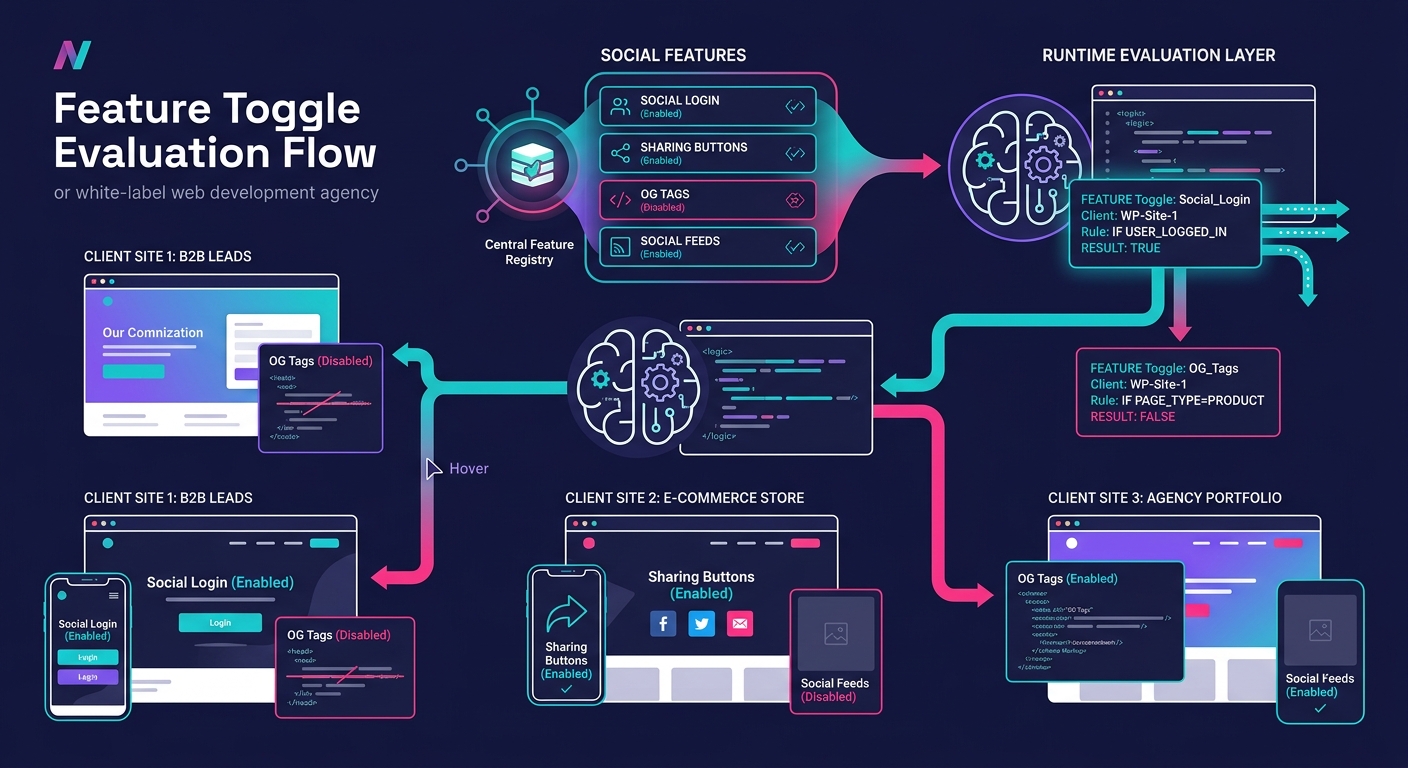
At this point, you need a centralized system for white-label WordPress customization that separates what a feature does from who gets it.
The practical implementation in WordPress looks like this:
- Define a feature registry. A single PHP class or configuration file that lists every toggleable social feature: sharing buttons, Open Graph output, social login, embed blocks, auto-posting hooks, social proof widgets.
- Store toggle state per site. For multisite installations, this lives in site-specific options. For single-site white-label builds, it lives in wp_options with a prefixed naming convention. Descriptive, unique flag names matter here—Statsig's guidance on implementing feature flags at scale emphasizes that reusing old flag names or picking vague ones creates confusion that compounds fast.
- Evaluate at runtime. A scalable feature management system evaluates flags dynamically, not through hardcoded constants. Build a thin evaluation layer that checks the toggle registry on each request and exposes results to your theme and plugins through a simple API. Cache the results in an object cache (Redis or Memcached) so you're not hitting the database on every page load.
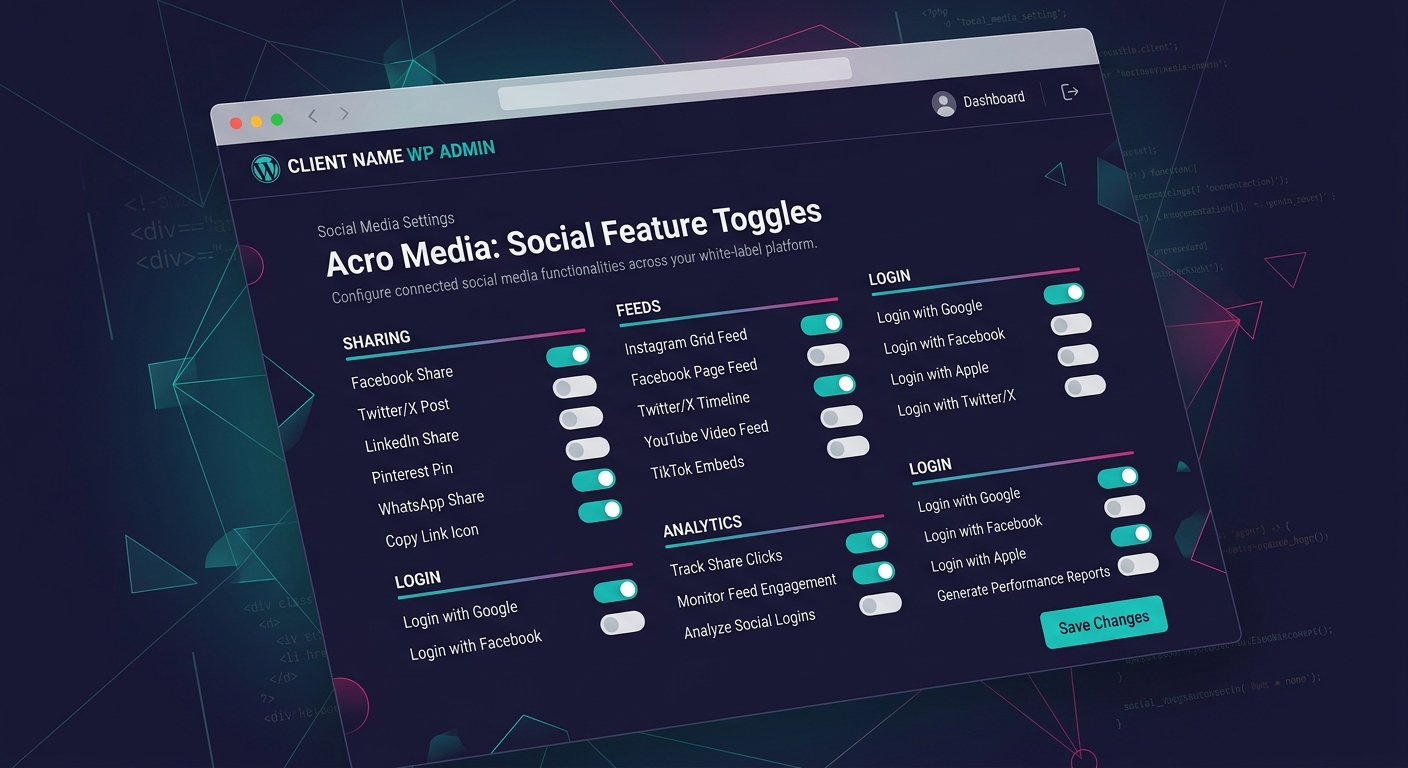
- Build an admin interface. This can be as simple as a settings page under a White Label menu item that lists features with on/off switches. Your agency configures it during onboarding. The client never sees it.
The Naming Convention That Saves You Later
Name every toggle with a three-part structure: scope, feature area, and specific function. Something like wl_social_sharing_buttons or wl_social_og_meta_output. When you have 40 toggles six months from now, you'll be able to sort and filter them programmatically. Teams that skip this step end up with flags named show_twitter next to client_social_v2_fix and wonder why their audit scripts return garbage.
Running Social Integrations Through a Single Codebase
With the toggle layer in place, scalable codebase management becomes real instead of aspirational. Your theme has one social sharing partial. It checks the toggle registry before rendering. Your Open Graph plugin has one output function. It checks the registry. Your social login integration has one authentication hook. Same pattern.
New client onboarding becomes a configuration task instead of a development task. You spin up the site, open the toggle admin page, flip on the social features the client wants, and ship. If they call three months later asking for Instagram feeds, you flip a toggle and configure the feed URL. No theme editing. No deploy. No risk to other clients.
This approach also makes staging environment testing dramatically more reliable. You can replicate a client's exact toggle configuration in staging, verify behavior, and push with confidence that production will match.
Tip: Set expiration dates on release and experiment toggles. A toggle that was supposed to be temporary six months ago and is still active is a liability. Review your registry quarterly and remove anything that's become a permanent "on" across all clients. That feature should graduate from toggle to standard code.
If your agency also handles WooCommerce development, the same toggle architecture extends naturally to WooCommerce social features—social login at checkout, share-after-purchase prompts, social proof notifications. One codebase, many configurations.
Where the Architecture Sits Today
Agencies that have been running this pattern for a year or more report a consistent outcome: the volume of social media customization requests doesn't decrease, but the time-to-delivery drops by an order of magnitude. A request that used to require a developer for 45 minutes becomes a project manager flipping a toggle in two.
The deeper benefit is organizational. Your developers stop context-switching between client codebases to make trivial social feature changes. Your project managers gain autonomy over client-specific configurations without needing to file tickets. And when a social platform makes a breaking API change—which happens at least once a quarter across the major platforms—you fix it in one place and every client site inherits the fix on the next request.
The common mistake agencies run into at this stage is toggle sprawl. You start adding toggles for everything—not just social features but layout options, content types, admin menu items. Discipline matters. If a feature isn't genuinely variable across clients, it doesn't need a toggle. And every toggle you create is a toggle you need to maintain, document, and eventually retire. Moving stable custom code into dedicated plugins rather than keeping it behind permanent toggles prevents the registry from becoming its own form of technical debt.
The agencies that handle collaboration across white-label teams well tend to treat the toggle registry as a shared source of truth. It lives in version control. Changes to it go through pull requests. The registry doubles as documentation of what each client's site actually does, which turns out to be the most valuable artifact in the entire system—more useful than any spreadsheet or wiki page anyone ever maintained manually.
Feature toggles aren't new to software engineering, and they aren't particularly exotic in WordPress. What makes them powerful in the white-label social media context is the sheer volume of per-client variation they absorb without fragmenting your codebase. The architecture holds because it was designed to hold. The social media requests keep coming. Your codebase stays singular.