

WordPress full site editing stores every template as an HTML file parsed at render time. ACF stores structured field data in the wp_postmeta table. These two systems don't compete with each other. They operate at entirely different layers of the stack, and understanding where each one does its work is the key to making a white-label WordPress architecture decision that doesn't collapse eighteen months later.
The persistent misunderstanding among agency teams is that block themes vs ACF is a binary choice, like picking Elementor over Divi. It's not. One controls layout and presentation. The other controls data structure and content modeling. When you conflate the two, you end up with sites that are either beautiful but impossible to maintain, or perfectly structured but painful for clients to edit.
This article breaks down the mechanism of each system, shows where they overlap, and maps the tradeoffs you'll hit at scale.
How Block Themes Store and Render Layout
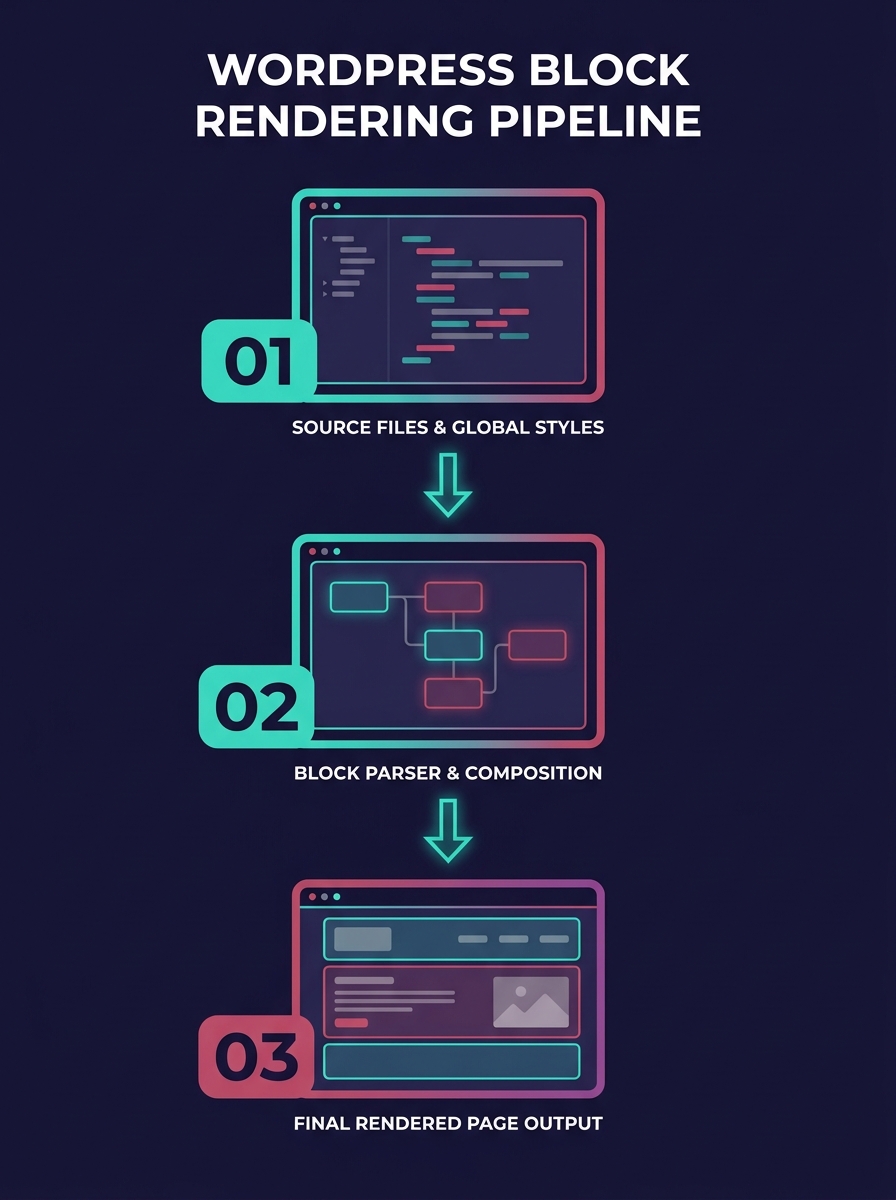
Block themes replaced the PHP template hierarchy with HTML template files and a single configuration file called theme.json. When a visitor requests a page, WordPress parses the appropriate HTML template, injects block markup, and applies the global styles defined in theme.json. There's no functions.php routing logic, no get_header() calls, no Customizer API.
This matters for white-label work because block themes allow clients to customize layout and design with blocks for every area of the site without touching code. Headers, footers, archive pages, single post templates — all editable in the Site Editor. The theme.json file controls typography scales, color palettes, spacing presets, and block-level defaults. You define the design system once, and every block on the site inherits those constraints.
For agencies shipping ten or twenty sites a month, this is significant. You create a base theme.json, lock down the block allowlist so clients can't insert thirty mismatched column layouts, and the design stays consistent across every white-label handoff. According to performance testing, block themes like Twenty Twenty-Two score 99% on GTmetrix performance benchmarks partly because they eliminate the jQuery dependency and page builder overhead that classic themes carry.
But here's where block themes reach their limit: they are a presentation layer. They define how content looks and where it sits on a page. They don't define what content is, how it's structured, or what relationships exist between content types. That's where ACF enters.
How ACF Structures Data Below the Template Layer
ACF operates at the database and admin-interface level. It creates structured input fields — text fields, image pickers, relationship fields, repeaters, flexible content layouts — and attaches them to posts, pages, custom post types, taxonomies, users, or option pages. The data gets stored as serialized values in wp_postmeta (or wp_options for global fields).
The critical distinction: ACF doesn't render anything by default. It captures and stores structured data. Your templates, whether they're block templates or classic PHP files, then pull that data and decide how to display it.
This is why agencies that have invested years in ACF-based workflows aren't wrong to feel protective of them. ACF lets you attach custom fields to any post type via the GUI or via PHP, which means your developers can model complex content (case studies with multiple sections, product specs with nested attributes, team member profiles with social links and bios) without writing raw SQL or hacking together meta boxes from scratch.
The newer ACF Blocks feature further complicates the narrative. ACF Blocks are server-rendered custom blocks that appear inside the Gutenberg editor but pull their data from ACF field groups. So a client drags in a "Testimonial" block, fills out the ACF fields in the sidebar, and the block renders the testimonial using your PHP template. The block editor handles placement; ACF handles the data.
If your agency has been automating design system handoffs between designers and developers, ACF Blocks can serve as the translation layer — the designer specs the component, the developer builds the ACF field group and render template, and the client edits content in a structured, constrained interface.
Custom Post Types Bridge Both Worlds
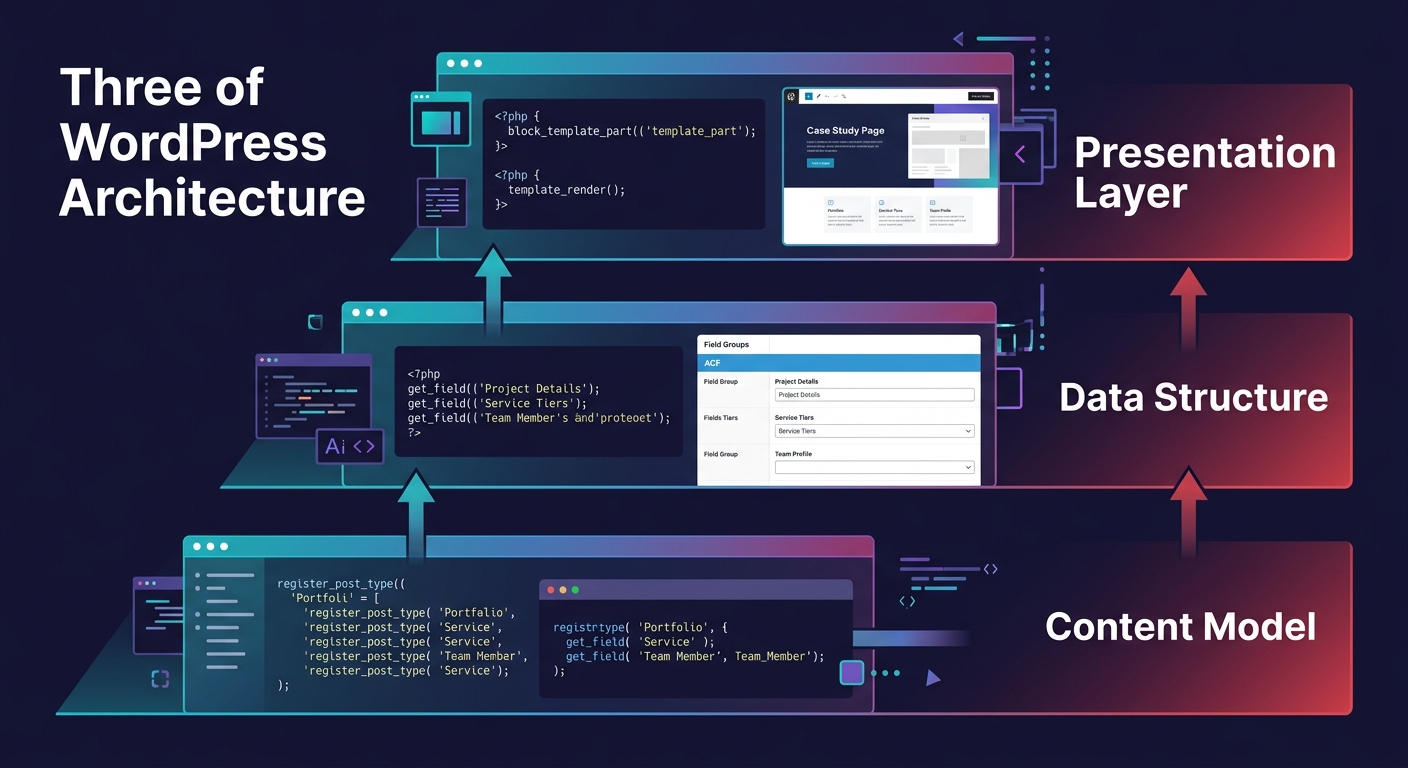
Custom post types sit underneath both block themes and ACF. They're a WordPress core feature that lets you register new content types (portfolios, events, services, locations) separate from posts and pages. CPTs define what exists in the admin. ACF defines what fields each CPT has. Block themes define how CPTs display on the front end.
The confusion comes from the fact that ACF now handles CPT registration directly, as developers on Reddit have confirmed — you don't need the CPT-UI plugin anymore since ACF can create custom post types and taxonomies from its own interface. This consolidation is convenient, but it blurs the architectural boundary and leads some teams to think ACF "owns" the content model when it really owns the field layer on top of it.
For white-label agencies, the practical takeaway is this: your custom post types should be registered in a way that survives a theme swap. If you're using block themes with ACF, register your CPTs and field groups through ACF's PHP export and bundle them in a site-specific plugin, not in the theme. That way, when you update the block theme's templates or swap the design entirely, the underlying content model stays intact.
Block themes control how content looks. ACF controls how content is structured. Custom post types control what content exists. Confusing these three layers is the root of every architecture decision that goes sideways.
The Hybrid Architecture Agencies Actually Ship
Survey data from agency developer communities suggests roughly 68% of WordPress agencies still run hybrid setups — classic PHP templates for structural elements combined with block-based content editing and ACF for data modeling. The reasons are practical, not ideological.
Full block themes work brilliantly when the site is content-driven and the client's editorial team understands the block editor. Blog-heavy sites, portfolios, informational pages for professional services — these are ideal candidates. The client edits content in a visual interface, the theme.json constraints prevent design drift, and the developer rarely needs to touch anything post-launch.
But when the site involves complex data relationships (a real estate listing site with property CPTs linked to agent CPTs linked to neighborhood taxonomy terms, all with dozens of custom fields), a pure block theme approach becomes awkward. You'd need a custom block for every content display, and the Site Editor's template system isn't built for the kind of conditional logic that complex data models require.
The hybrid approach — block-based content editing where appropriate, PHP templates for complex archive and single views, ACF for the underlying data — gives you the control you need without fighting the tools. If you've been working through the tension between customization and standardization across your client base, this is where that tension plays out in code. Some clients get a full block theme. Some get a hybrid. The architecture decision should follow the content model, not the other way around.
Tip: Store ACF field groups and CPT registrations in a site-specific plugin, not the theme. This makes theme swaps, redesigns, and block theme migrations possible without touching the data layer.
When Headless WordPress Reshapes the Stack
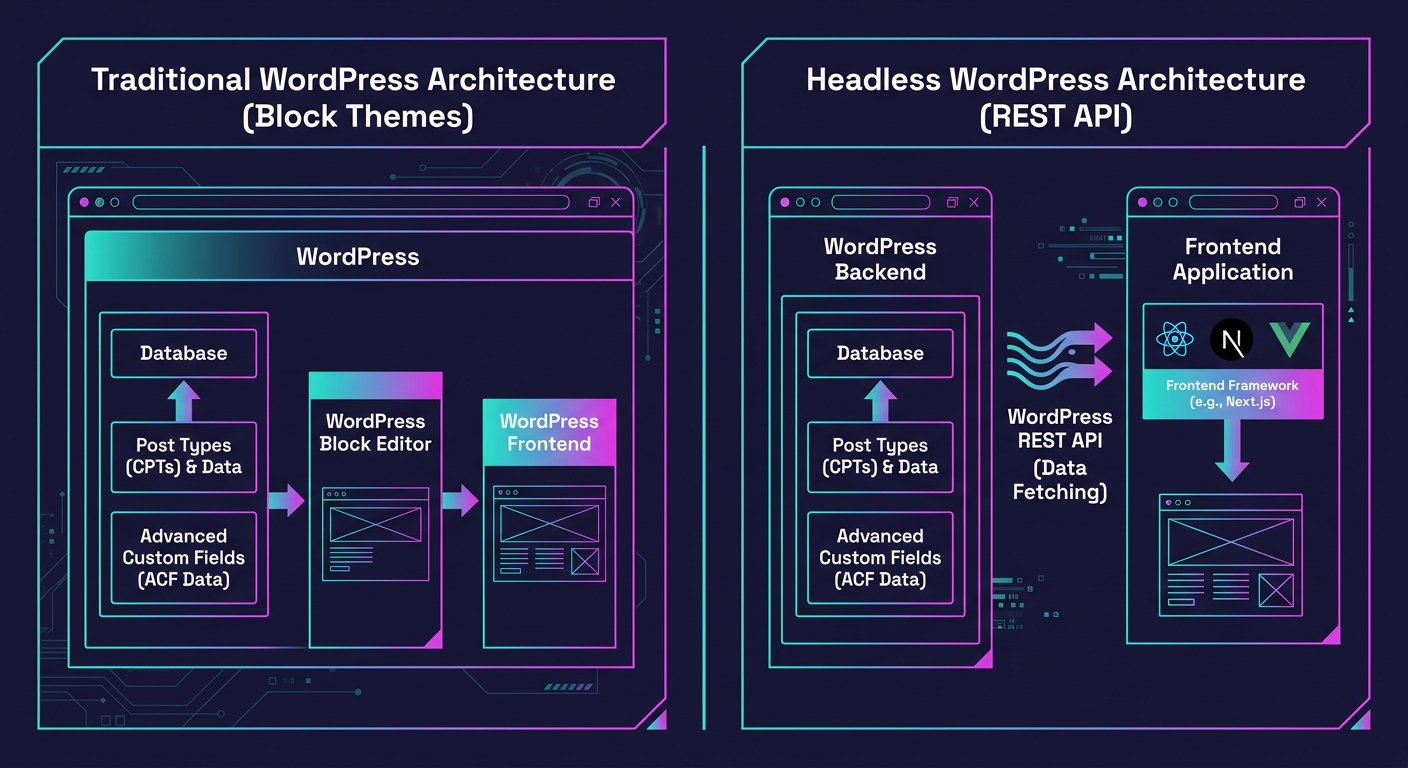
Headless WordPress introduces a fourth variable. In a decoupled setup, WordPress serves as the CMS (content management and data storage) while a separate frontend framework — React, Next.js, Nuxt, Astro — handles rendering. The REST API or WPGraphQL exposes your content, including ACF fields and custom post types, as structured JSON.
In a headless architecture, block themes become irrelevant to the frontend. The client still uses the WordPress admin to manage content, ACF still structures the data, and custom post types still define the content model. But rendering happens elsewhere. Your React components replace block templates. Your CSS framework replaces theme.json.
This is relevant for white-label agencies considering headless WordPress for specific use cases: web applications with authenticated user experiences, sites requiring sub-100ms load times, multi-platform content distribution (website + mobile app + kiosk from one CMS). In these scenarios, ACF becomes more important because it's your primary tool for modeling structured content that the API can expose cleanly.
But headless also means you're maintaining two systems — the WordPress backend and the JavaScript frontend. Your QA workload doubles, preview workflows need custom solutions, and the developer skill requirements shift significantly. We've written about how QA practices tend to collapse when white-label teams scale, and headless setups accelerate that collapse if you're not prepared.
The Tradeoffs That Surface at Scale
Every architectural choice in this space carries a cost that shows up later, usually when you're onboarding the fifteenth or fortieth client on the same stack.
Block theme tradeoff: Client editing freedom increases, but so does the surface area for design breakage. The more blocks you expose, the more ways a client can create layouts you never tested. Locking down blocks reduces this risk but also reduces the flexibility that makes block themes appealing.
ACF tradeoff: Field groups are powerful and flexible, but they're stored as post meta. On sites with hundreds of thousands of posts and dozens of custom fields per post, the wp_postmeta table becomes a performance bottleneck. You can mitigate this with object caching and custom table storage, but it's an operational cost that compounds.
Hybrid tradeoff: You get the best of both worlds, but your developers need to be fluent in block theme development and classic PHP templating and ACF configuration. Training and documentation overhead is real, especially when you're trying to standardize how partner briefs get written across your team.
Headless tradeoff: Maximum frontend flexibility, but you lose WordPress's built-in preview system, SEO plugin integrations (Yoast, Rank Math), and the simplicity of a single deployment. Every feature that classic WordPress gives you for free becomes something you have to rebuild.
The architecture that works for your agency depends on three things: the complexity of your clients' content models, the editorial skill level of the people managing the sites, and how many sites your team can realistically maintain on any given stack. There is no universally correct answer. There's only the answer that matches your operational reality — and the discipline to revisit it as that reality changes.