

WordPress applies a WP_ENVIRONMENT_TYPE constant set to "staging" in the wp-config.php file on every staging site, and dozens of plugins read that constant to suppress behaviors they consider unnecessary outside production. Yoast SEO skips XML sitemap generation. RankMath alters canonical tag injection. WP Rocket disables page-cache rules. CDN integrations turn off URL rewrites. Analytics scripts don't fire. The site your team just QA'd runs different code paths than the one Google's crawler will actually hit after you push to production.
That gap is where SEO disasters live. An agency can build a thorough staging workflow, run visual regression tests on every template, verify that pages load correctly, and still ship ranking-killing bugs to a client's live site. The staging production mismatch doesn't appear in your QA checklist because the environment itself behaved differently during testing. You weren't testing the wrong things. You were testing the right things in the wrong context.
Where the Divergence Actually Happens
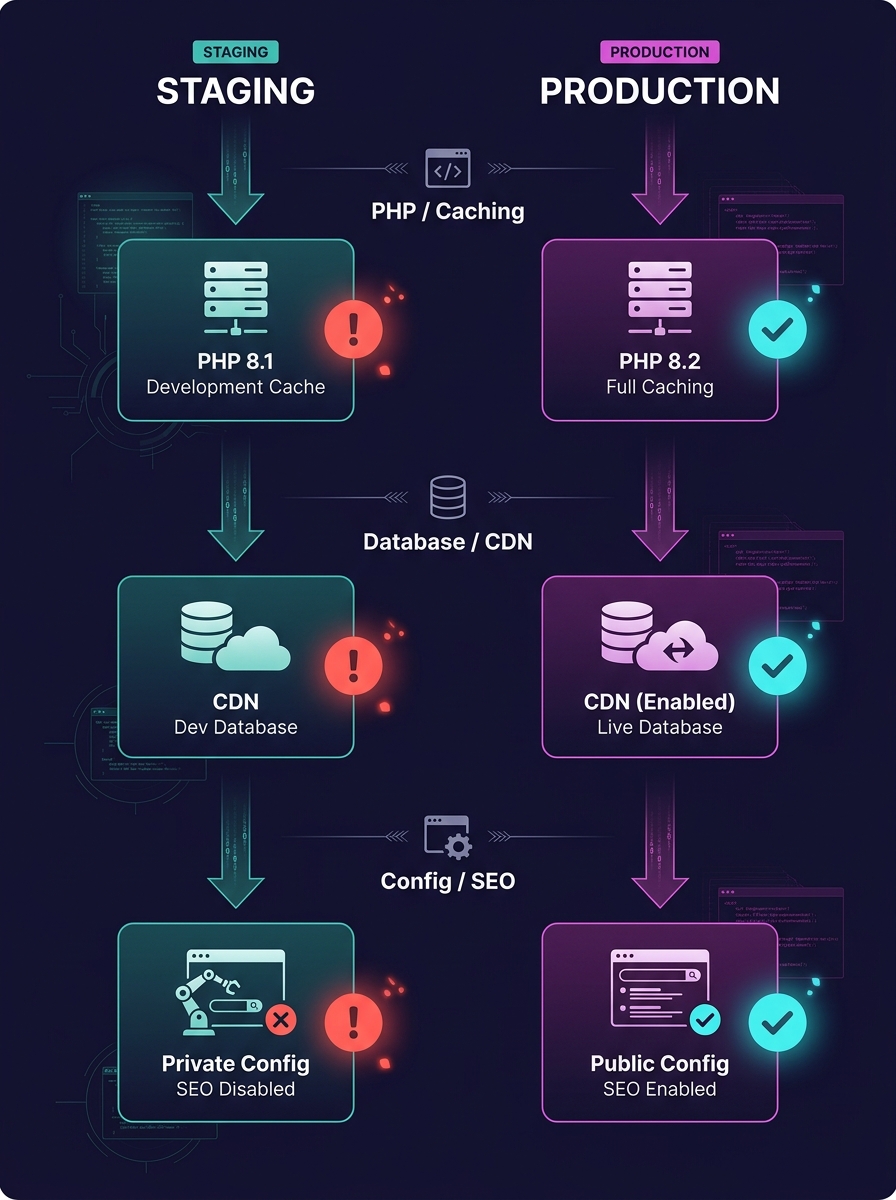
The environment-type constant is the most visible culprit, but WordPress environment parity breaks down at multiple layers simultaneously.
Plugin behavior switches. SEO plugins, caching plugins, and performance plugins all check the environment type. Some disable features entirely on staging. Others fall back to default configurations rather than mirroring production settings. If your staging site's SEO plugin isn't generating the same robots directives, structured data, or canonical URLs that production serves, you're testing a phantom version of your site.
Server-level configuration gaps. Production might run Nginx with fastcgi_cache, while staging sits behind Apache on a shared hosting panel. PHP versions drift apart. OPcache settings differ. These aren't cosmetic differences. They affect how WordPress processes redirects, how .htaccess rules fire, and whether server-side caching strips or rewrites HTTP headers that search engine crawlers rely on.
CDN and edge caching. Your production site probably sits behind Cloudflare, Fastly, or a host-level CDN. Your staging site probably doesn't. That means you can't test how cached pages interact with your SEO changes. Redirect chains, HSTS headers, and vary headers all behave differently when there's no edge layer in the path.
The Twelve-Factor App methodology, as applied to WordPress by Roots, calls this the "backing services gap." Developers find it appealing to use lightweight services locally and in staging while relying on more serious infrastructure in production. That appeal creates blind spots.
Database Synchronization and the SEO Metadata Gap
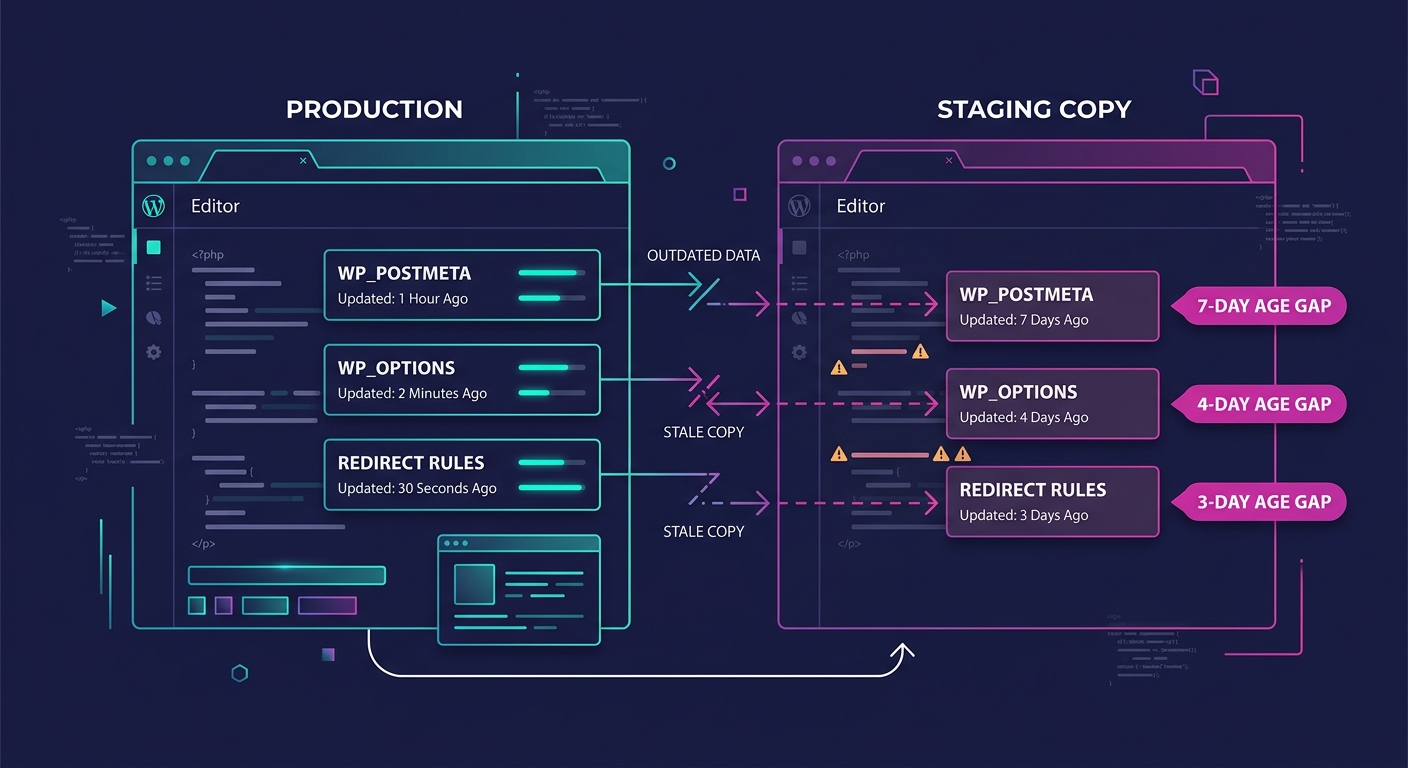
The database layer is where things get genuinely ugly. WordPress stores SEO-critical data in the database: post meta fields for titles and descriptions, redirect rules managed by plugins like Redirection or RankMath, schema markup settings, and permalink structures. When your staging database drifts from production, your SEO testing is running against stale data.
As the team at Delicious Brains put it, there's no magic bullet solution for database merging in WordPress. Developers need to stay aware of the problem so they don't end up with out-of-sync local and live databases. The practical advice: record what you change, then replay those changes manually on the other environment.
For agencies managing 20, 50, or 100+ client sites, "record and replay" doesn't scale. Here's what actually goes wrong with database synchronization in practice:
- Redirect tables diverge. Someone adds a 301 redirect on production to fix a crawl error flagged in Search Console. That redirect never reaches staging. The next deploy overwrites the production database or the redirect plugin's settings, and suddenly Google is serving 404s for URLs that were ranking.
- SEO meta fields go stale. A client updates page titles and meta descriptions directly in production through their SEO plugin. Staging still has the old metadata. Your team tests against the old meta, doesn't notice the client's changes, and pushes a deploy that reverts those fields.
- Permalink structures drift. A staging environment resets to the default permalink structure after a WordPress update. Nobody catches it because the site still "looks fine." After deployment, all internal links break, and Google starts recrawling the site with ?p=123 URLs.
We've written in depth about debugging production issues your team can't replicate locally, and the root cause in most of those cases traces back to this exact database drift.
Warning: If your staging database is more than 48 hours old, treat every SEO-related test result as unreliable. Redirect rules, canonical settings, and meta fields can all change on production without your dev team knowing.
Detecting Drift Before It Reaches Google
Infrastructure drift detection is a mechanism that identifies discrepancies between the expected state of your infrastructure and the actual one. In traditional DevOps, tools like Terraform and Puppet handle this automatically. WordPress agencies rarely have anything equivalent.
The gap is expensive. A single staging production mismatch that ships a noindex directive to 200 product pages can deindex those URLs within a week. Recovery takes months. For an e-commerce client, that's real revenue gone.
Here's what practical infrastructure drift detection looks like for a WordPress agency:
Automated Environment Comparison
Write a script (bash, Python, WP-CLI, whatever your team knows) that runs on a schedule and compares key configuration values between staging and production. The checklist should include PHP version, active plugin versions, wp-config.php constants, permalink structure, and SEO plugin settings stored in wp_options. When values diverge, the script posts a diff to your Slack or Teams channel.
Plugin Version Pinning
If staging runs Yoast 23.1 and production runs Yoast 23.4, you're testing against different sitemap logic, different schema output, and potentially different canonical behavior. Pin plugin versions across environments using Composer (Bedrock-style setups) or a deployment script that checks version parity before allowing a push.
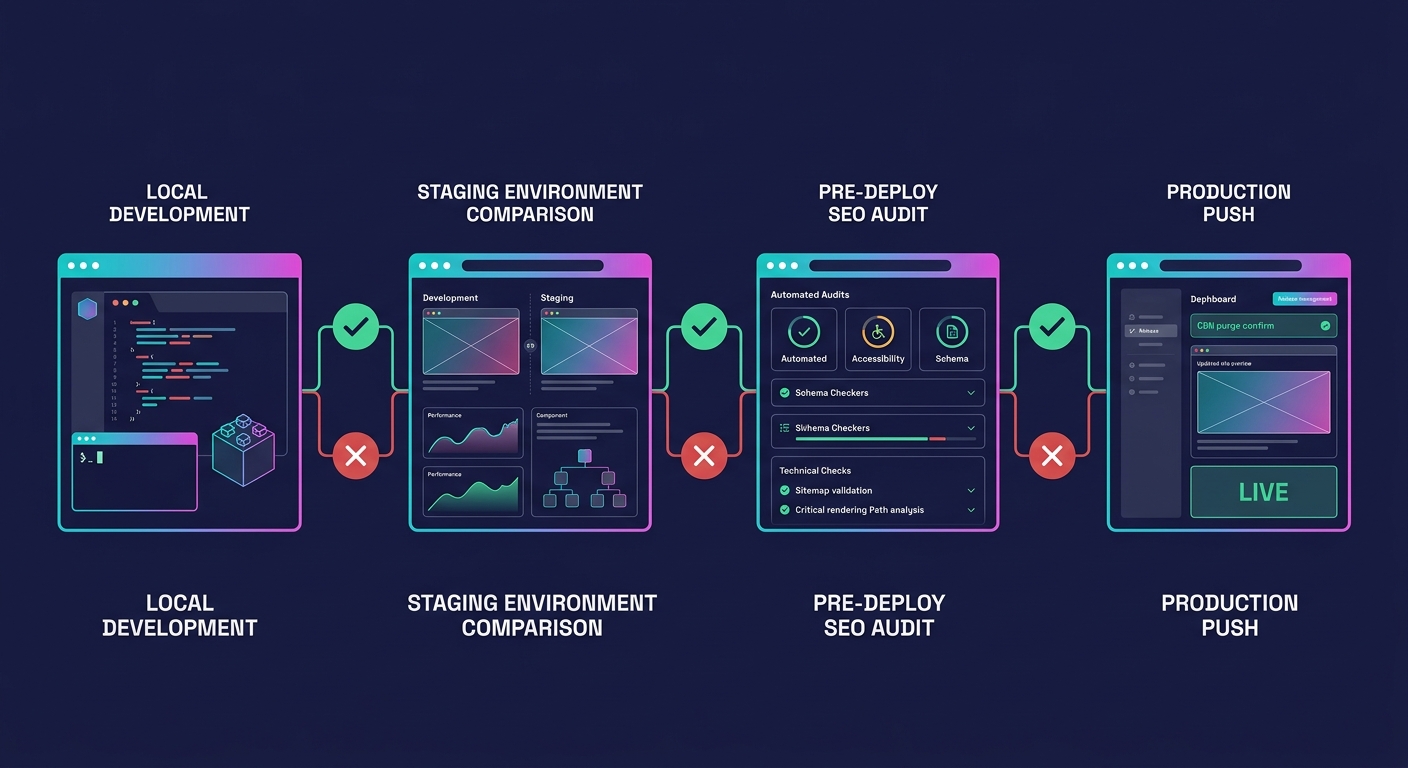
Pre-Deploy SEO Audits
Run a crawl with Screaming Frog or Sitebulb against staging, then compare the output against the last production crawl. Diff the results on canonical tags, meta robots directives, hreflang attributes, and HTTP status codes. If the diff shows changes your team didn't intend, stop the deploy.
A single staging production mismatch that ships a noindex directive to 200 product pages can deindex those URLs within a week. Recovery takes months.
Agencies that have built automated compliance and self-healing systems into their WordPress infrastructure are ahead here. The same monitoring logic that checks for security compliance can check for SEO configuration parity.
What Parity Looks Like in a White-Label Pipeline
White-label deployment adds a compounding variable. You're not maintaining parity for one site. You're maintaining it across every client site your team touches, often with different hosting stacks, different plugin combinations, and different client behaviors on production.
Pantheon's Dev, Test, Live workflow achieves production parity by default by giving every site identical infrastructure at each tier. Dev is for active coding, Test is for staging against a copy of live content, and Live is production. The environments share the same server stack, same PHP version, same caching layer. For agencies on Pantheon, this solves a significant portion of the drift problem.
But many white-label teams work across hosting environments they don't control. Client A is on WP Engine. Client B is on Cloudways. Client C is on a Hetzner VPS managed by a previous developer. In that world, you need a different approach:
- Standardize what you can. Use a Docker-based local environment (Local by Flywheel, DDEV, or Lando) configured to match the most common production stack your clients run. Document the specific PHP version, MySQL version, and web server for each client, and configure your local/staging environments to match.
- Test SEO output, not just page rendering. Your QA process should include checking HTTP response headers, robots.txt output, XML sitemap URLs, and structured data output. These are the outputs that search engines consume, and they're the outputs most likely to differ between environments.
- Isolate database changes per deploy. Track which database tables your deploy touches. If your migration script modifies wp_options or wp_postmeta, flag it for SEO review before pushing.
If your agency is scaling its white-label development services and adding clients faster than you're adding infrastructure process, environment parity is the first thing that breaks. And because the breakage is invisible until Google's index reflects it, the feedback loop is devastatingly slow. You might not learn about a staging-related SEO regression until rankings drop three weeks later.
Teams that need to hire dedicated web development talent for this kind of work should look for developers who understand not just WordPress theming and plugin development, but the infrastructure layer beneath it. A developer who can debug a staging production mismatch in wp-config.php constants is worth more to your SEO outcomes than one who can build a pixel-perfect homepage.
How This Connects to SEO Outcomes Specifically
It's worth being explicit about the cause-and-effect chain, because agencies often treat environment parity as a DevOps concern and SEO as a marketing concern, and the two teams never talk.
When a staging environment doesn't match production, the following SEO-affecting bugs slip through undetected:
- Canonical tags pointing to staging URLs. This happens more often than anyone admits. The SEO plugin generates canonicals based on the site URL in wp_options. If staging has a different site URL (staging.clientsite.com) and the deploy doesn't rewrite it cleanly, Google receives canonical signals pointing to a domain that shouldn't be indexed.
- Robots.txt serving noindex or disallow rules. Many staging configurations add a "Discourage search engines" flag. If that flag persists through a sloppy database migration, the entire site tells crawlers to go away.
- Redirect loops or chains introduced by caching differences. A redirect that works cleanly on staging's Apache setup creates a loop on production's Nginx + Cloudflare stack because of how each layer handles the Location header.
- Structured data validation failures. Schema markup that passes validation on staging may produce different output on production if the PHP version handles JSON-LD encoding differently or if a caching layer strips inline scripts.
These are all bugs that a production debugging workflow can eventually catch. But "eventually" means after the damage is done. The point of environment parity is catching them before they reach the live site, before Google crawls the broken version, and before your client's rankings suffer.
The Open Threads
WordPress core doesn't provide a built-in mechanism for comparing environment configurations across staging and production. The WP_ENVIRONMENT_TYPE constant tells plugins which environment they're in, but nothing in core verifies that the environments actually match. That's still a gap waiting for a plugin or platform-level solution.
Database synchronization remains the hardest unsolved problem in this space. Delicious Brains' WP Migrate isn't actively adding features for automated merging, and no other tool has filled that gap convincingly. Agencies are left building custom scripts or accepting manual processes.
The agencies that will handle this best are the ones that treat environment parity as an SEO discipline, not an ops afterthought. Your staging site's job isn't to look like production. It's to behave like production, at every layer, for every request that a crawler might make. Until that's true, staging will keep lying to you, and you'll keep finding out from Google instead of from your own QA process.