

White-label environment management fails when your staging server runs PHP 8.1, production runs 8.3, and the developer's laptop runs neither. These six rules keep development, staging, and production configurations identical across every client site in your portfolio.
TL;DR: Environment parity across white-label WordPress sites requires identical server stacks, automated CI/CD pipelines gated by environment, config files separated from code, and structured logging. Skip any one and you'll ship bugs that only appear in production, where your client's brand is on the line.
Agencies running 10, 30, or 80 client WordPress installations face a specific operational problem: drift. Config drift, plugin-version drift, PHP-version drift. Each gap between environments creates a category of bug that staging can't catch. And when a white-label partner ships a broken checkout page to production, it's your agency's client relationship at stake, not the developer's.
These six rules won't eliminate every deployment incident. They will reduce the ones caused by environment mismatch, which in our experience account for the majority of post-launch fires that burn agency hours without generating revenue. If you're building out your post-launch support operations, parity is the foundation everything else sits on.
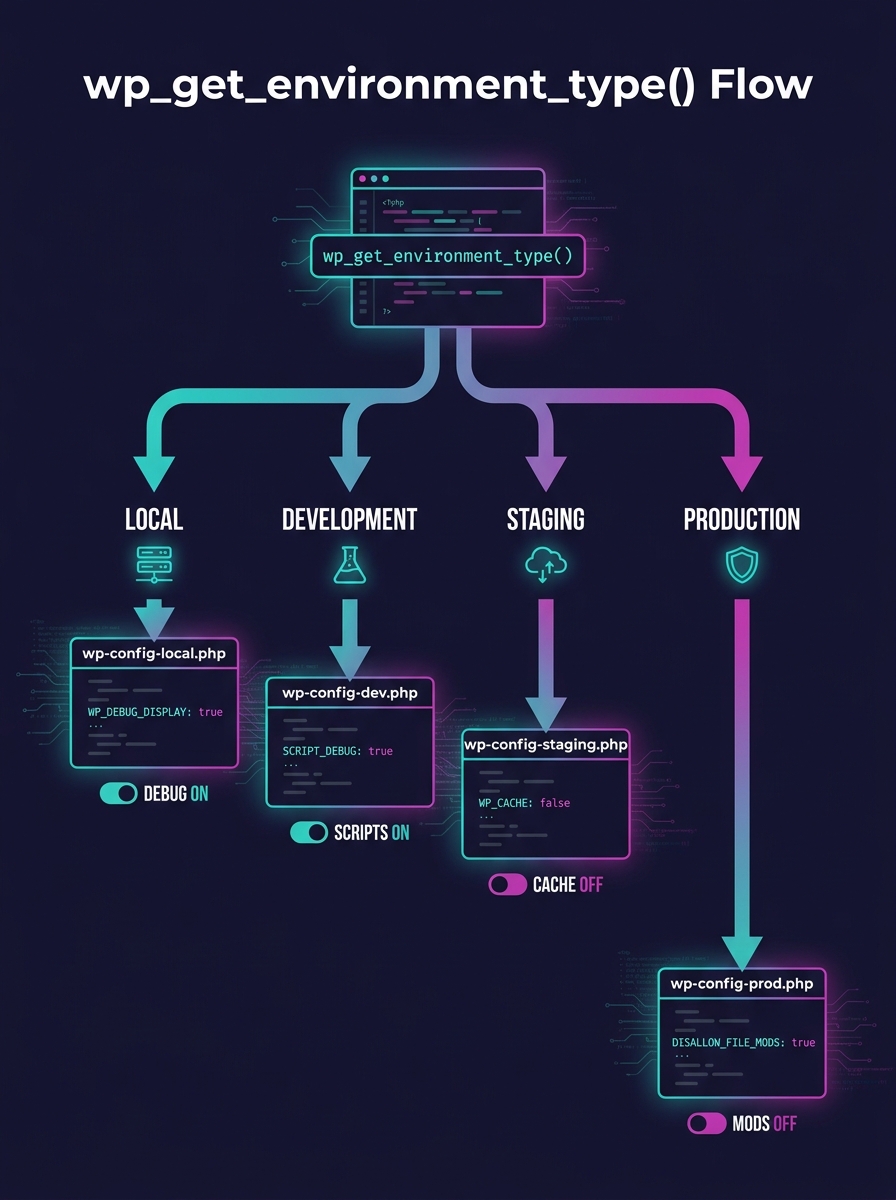
Always separate configuration from code using wp_get_environment_type()
WordPress core has included the wp_get_environment_type() function since version 5.5, released in August 2020. It returns one of four values: local, development, staging, or production. Yet most agency setups still hardcode database credentials and debug flags directly in wp-config.php, then manually swap values during deployment.
The better pattern: create an environment-config.php file inside wp-content/mu-plugins and use wp_get_environment_type() to toggle settings per environment. As Digital Polygon's engineering team documented, this approach lets you "enable/disable plugins based on the environment type" using add_filter, so your debug bar loads in development but never leaks into production. Studio24's WordPress multi-env-config project on GitHub follows the same principle, giving you separate config files per environment while keeping a single codebase.
For white-label setups, this matters twice over. You're managing configs for 20 or 50 sites, not one. A single misplaced define('WP_DEBUG', true) on a production client site exposes error paths, file structures, and database table names to anyone with a browser.
Automate staging deploys on merge, gate production behind manual approval
A white-label CI/CD pipeline that requires someone to SSH into a server and pull code is a pipeline in name only. The minimum viable automation: staging deployment triggers automatically when a feature branch merges to main. Production deployment requires explicit human approval in your CI/CD tool.
News UK's engineering team described this exact pattern in their white-label WordPress workflow: "The staging deployment is done automatically when a feature is merged to main," while "the production deployment requires approval in the CI/CD build step." This two-gate model gives you speed where it's safe (staging) and caution where it's expensive (production).
GitHub Actions paired with WP-CLI handles this well for WordPress-specific deployments. According to WP-CLI Mastery's implementation guide, you can build "automated testing, staging deployments, database migrations, and zero-downtime production deployments, all triggered automatically by Git pushes." Hostinger's CI/CD documentation reinforces the core benefit: "With the CI/CD pipeline, you can automate these processes when running the Git push," freeing developer hours for actual feature work.
When you're running this across 30+ client sites, even saving 12 minutes per deployment adds up to 6+ hours per deployment cycle. That's time your team can redirect toward billable client work instead of babysitting deploys.
Run identical PHP versions, databases, and caching layers in every environment
The Roots project's Trellis tool uses Ansible for configuration management specifically to achieve server parity. As Josh Cummings noted in his analysis of WordPress development environments, Trellis "utilizes FastCGI caching and Memcached, and has a focus on security by including tools like Fail2ban and ferm. It also uses Ansible for configuration management to help achieve server parity."
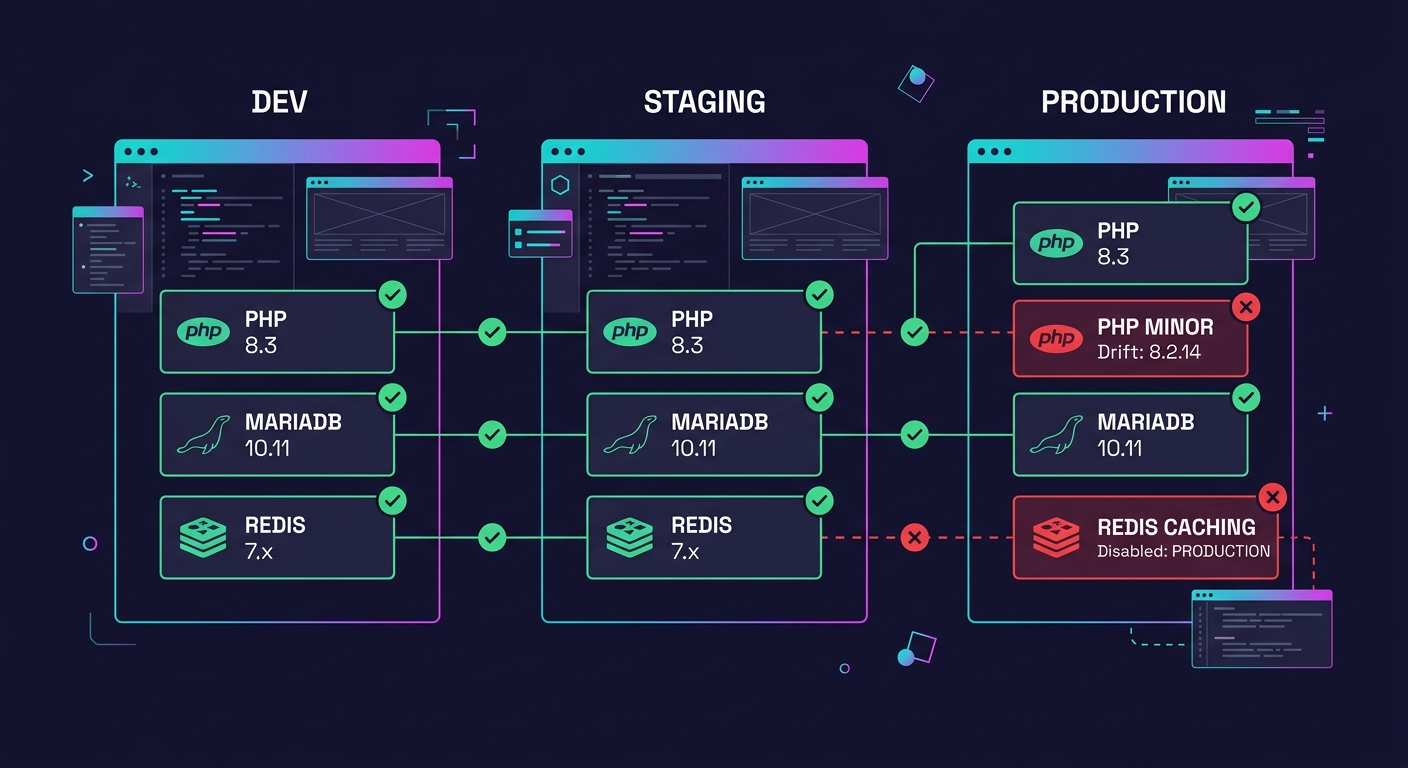
Multi-client infrastructure parity means your local Docker container, your staging server, and your production host all run the same PHP version (8.2 or 8.3, pick one and enforce it), the same database engine (MariaDB 10.11 or MySQL 8.0), and the same object caching layer (Redis 7.x or Memcached). When staging runs Memcached and production runs Redis, you get cache-related bugs that only surface after deployment. When a developer runs PHP 8.3 locally but the managed host runs 8.1, type coercion and deprecation behaviors differ in ways that don't throw errors during testing.
Warning: WooCommerce stores are especially vulnerable to environment drift. Payment gateway callbacks, webhook endpoints, and session handling all behave differently under varying PHP configurations and caching layers. A checkout flow that passes in staging with 5 test orders can break in production under 200 concurrent sessions.
If you've already standardized your hosting infrastructure decisions, extend that same discipline to dev and staging environments. Pin versions in your provisioning scripts. Document them in your onboarding materials. Enforce them in pull request reviews.
Treat the database as a deployment artifact, not an afterthought
Code parity gets attention. Database parity doesn't. And database differences between environments cause the sneakiest bugs in white-label WordPress setups.
WordPress staging best practices require more than copying files. You need table-prefix isolation (especially in Multisite), URL replacement that handles serialized data, and deterministic seed data for testing. Multidots' Multisite development guide prescribes "environment parity, table-prefix isolation, and 5-minute rollbacks" as the baseline, recommending quarterly-tested extraction scripts so "you're never trapped."
WP-CLI's search-replace command handles serialized data correctly, which matters because roughly 40% of WordPress option values contain serialized PHP arrays. Running a raw SQL REPLACE statement on serialized data corrupts it silently. The site loads fine. The admin panel works. Then one specific widget or menu configuration throws a white screen three weeks later, and nobody connects the cause to a staging sync from a month ago.
For agencies managing 50+ client databases, script this process. Every staging refresh should pull a sanitized production database snapshot, run search-replace for URLs, reset user passwords to test credentials, and disable outbound email so transactional messages don't hit real customers. Automate the whole sequence. Run it weekly.
Ship structured logs to a centralized platform, not to debug.log
WordPress's default debug.log file is a flat text dump with no structure and no search capability. At scale, across 30 client sites, nobody reads 30 separate log files. Bugs go unnoticed until a client emails you about a broken page.
Replace debug.log with JSON-structured logs shipped via Fluentd or Filebeat to a centralized platform. OpenObserve advertises 140x lower storage costs than Elasticsearch for log, metric, and trace ingestion, making it viable for agencies managing 20 to 80 stores where per-site monitoring previously felt too expensive. Grafana Loki offers a similar low-cost alternative, and if you've already built client reporting dashboards with Grafana, adding log aggregation is a natural extension of infrastructure you're already running.
The gap between "we have logging" and "we can diagnose a production failure in under 10 minutes" is the gap between debug.log and structured observability.
Structured logging also creates a revenue opportunity. Agencies packaging monitoring dashboards as a client-facing service charge $50 to $150 per month per site. Across 40 clients at the midpoint ($100/month), that's $4,000 in monthly recurring revenue from infrastructure you should be running anyway. We covered the broader case for support as a revenue stream in a previous article, and logging-as-a-service fits squarely into that model.
Test rollbacks quarterly, not after disasters
Backup systems that have never been tested are decorative. WordPress staging best practices include regular rollback drills, yet most agencies only discover their backup process has gaps during an actual incident when the stakes are highest.
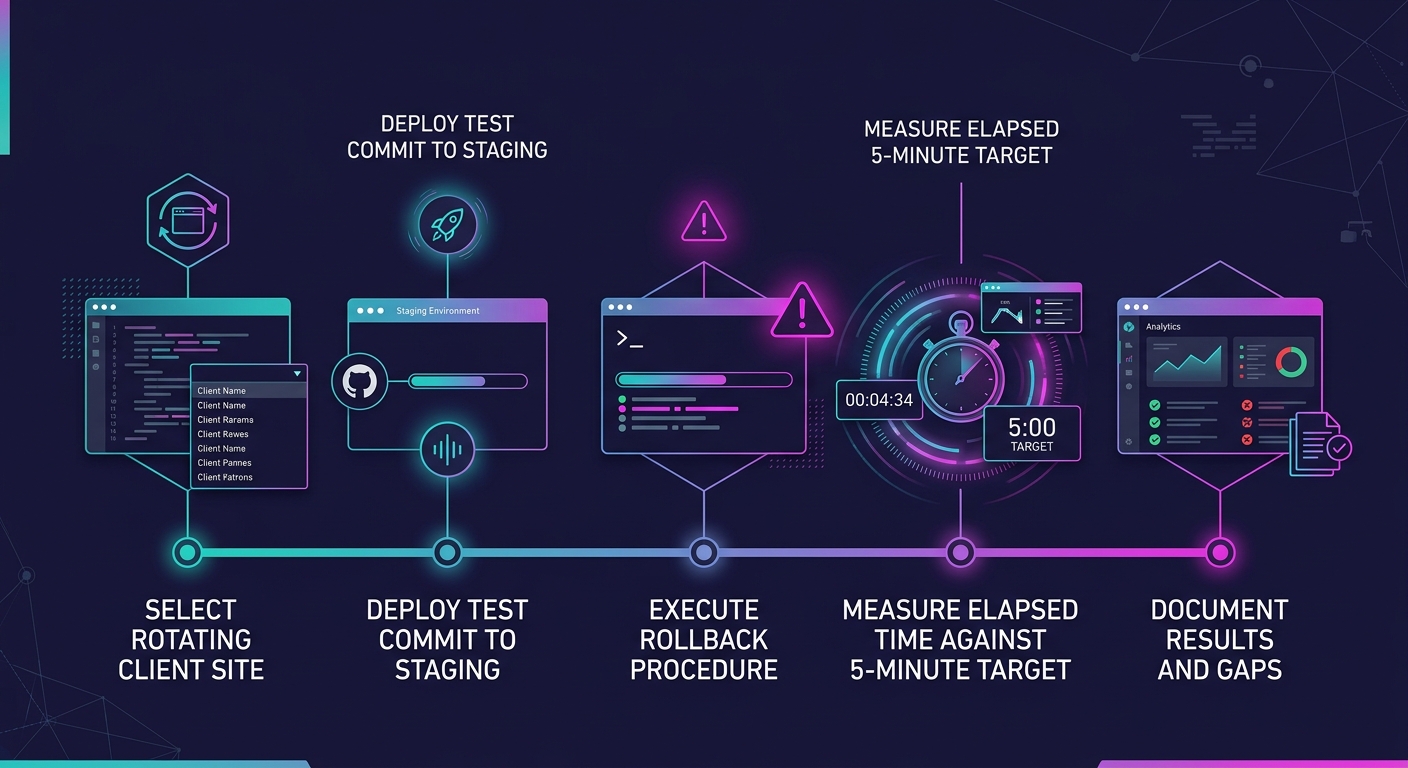
Multidots recommends building "5-minute rollbacks" into your environment design from day one. That target is achievable when your CI/CD pipeline versions every deployment and your database snapshots run on a 6-hour or 12-hour schedule. The target falls apart if you're relying on a hosting provider's one-click restore button that you've never actually clicked during a non-emergency.
Set a quarterly calendar event. Pick one client site (rotate through the portfolio). Deploy a known-bad commit to staging. Roll it back. Time it. Document the result. If rollback takes longer than 5 minutes, your process has a gap you need to find before production forces you to find it at 2 a.m. on a Friday.
For teams managing design system changes across 50+ brands, rollback testing also validates that reverting a component update doesn't leave orphaned styles or broken template references across dependent sites.
When These Rules Break
These rules assume you control your hosting stack. If clients mandate specific managed WordPress hosts with locked-down server configurations, you can't always pin PHP versions or install custom logging agents. In those cases, focus on what you can control: config separation, CI/CD gating, and database handling. Three out of six is still better than zero.
They also assume a team size where automation pays for itself. If you're running 3 client sites, manual deployment with a solid checklist works fine. The overhead of building a full white-label CI/CD pipeline only justifies itself somewhere around 8 to 12 sites, the threshold where manual processes start eating more hours than the automation costs to build and maintain.
And none of these rules fix a process problem disguised as a tooling problem. If your developers bypass staging and push directly to production because the staging database is 4 days stale and useless for testing, the real fix is a fresher staging environment, not a stricter deployment gate. Rules that people route around aren't rules. They're friction that slows down the developers who follow them while doing nothing to stop the ones who don't.